AI video clipping
Turn long videos into short clips with AI
Clip Splitter studies the transcript, identifies complete ideas, and creates up to three ready-to-review clips around 15, 30, and 60 seconds.
Create your clips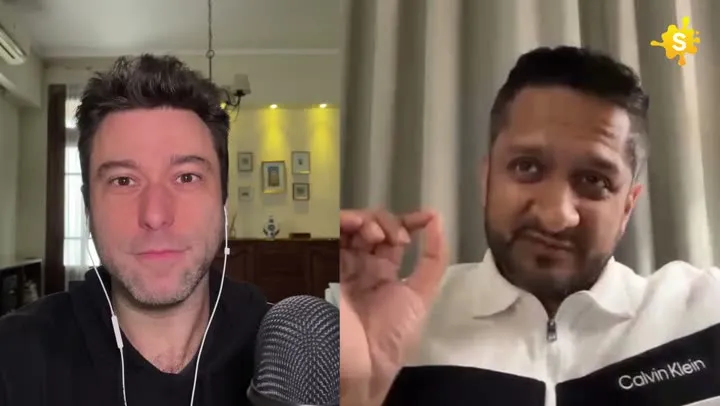

One long video in. Three focused clips out.
How it works
From source video to finished clips
- 01
Add your video
Upload a file or paste a supported YouTube URL.
- 02
Choose the output
Pick the language and aspect ratio you want.
- 03
Review your clips
Get up to three moments selected and rendered for you.
Made for
Use it across your content library
Questions
How many clips does Clip Splitter create?
Clip Splitter creates up to three clips from each source video.
Can AI choose the best moments?
Yes. It uses the transcript and the context around each passage to select moments that make sense as standalone clips.
What makes an AI-selected moment worth publishing?
An AI video clipper helps you move from a long recording to a short selection of possible moments. The useful output is not simply the loudest sentence or the section with the most dramatic vocabulary. It is a complete idea that another person can understand without watching the original recording. Before judging any generated clip, describe its purpose in one sentence. You might want to explain a common mistake, introduce a new perspective, demonstrate a small technique or answer a question customers repeatedly ask. That purpose gives you a practical way to accept or reject the suggestion.
A strong moment usually contains enough context to identify the subject, a development that adds useful information and an ending that resolves the thought. Those pieces do not have to follow a theatrical formula. A calm explanation can work exceptionally well when the speaker makes a difficult idea clear. Conversely, an exciting opening can disappoint if the clip ends before the explanation. Review the entire selection rather than approving it from its opening caption or thumbnail. The first seconds create an expectation; the rest of the clip needs to fulfil it.
Prepare a source the system can understand
Start with the clearest available version of the recording. Listen to several sections before uploading, including the beginning, a quiet passage and an exchange between speakers. If dialogue is buried under music or several people speak at once, any transcript-based selection will need more careful review. Clear source material makes both the selection and the captions easier to assess. Repeatedly re-exporting a compressed recording is not a substitute for finding the original file. Preserve that original so you can return to it if a later edit reveals a problem.
Remove material that should never become a public clip before treating the recording as a source library. A useful recording may also contain private introductions, an unfinished rehearsal or an off-record exchange. An editorial selection process should have an approved boundary. Keep a short note describing the audience, the permitted subject matter and anything the reviewer should exclude. This does not require a complex production system. A few specific instructions are more valuable than a vague request to find something viral, because they explain what a successful selection should accomplish.
Choose complete ideas rather than isolated claims
Watch the suggested starting point with the preceding sentence in mind. Words such as “that,” “they” and “this approach” often refer to information outside the selection. If the subject is unclear, the clip may need to begin earlier or be replaced with another moment. A title can add context, but it should not have to repair an incomprehensible statement. The same check applies at the end: a conclusion should remain attached to the explanation or condition that makes it accurate. Cutting away a qualification can change the speaker’s meaning even when every remaining word is genuine.
For example, a speaker might explain that a particular process works well for a small team with a narrow workload. A cut beginning at “this works well” and ending before the limitation suggests a much broader recommendation. The more useful clip includes the audience and the condition. It might attract fewer indiscriminate clicks, but it gives the intended viewer an accurate reason to continue watching. Editorial judgement remains necessary after automation because the source recording, intended audience and publication context can carry information that a short transcript segment does not fully represent.
Compare the suggested durations on meaning
Clip Splitter prepares up to three moments around short, medium and longer target lengths. Treat these as different editorial opportunities rather than three versions you must publish. A short clip may communicate one observation. A longer clip may be necessary for a worked example or a story with a change of direction. Choose the shortest version that still delivers the promised idea. Removing useful context to meet an arbitrary duration can make a clip less effective even if it looks more concise in a file list.
When two suggestions cover the same point, compare what the extra time contributes. Does it add evidence, a concrete example or a helpful distinction? If it only adds a repeated introduction, the shorter version may be stronger. If the shorter version feels abrupt, the longer one may be more appropriate. Do not evaluate every clip using the same pace. A tutorial needs time for the viewer to understand the action, while a reaction may work with a faster rhythm. The viewing experience should determine the decision, not the desire to fill every available export slot.
Review the framing as a separate decision
Selection and framing solve different problems. A useful spoken moment can still be difficult to watch if the crop hides the speaker’s face or removes an object being discussed. Review the first frame, the middle of the clip and every speaker change. Watch the full sequence as well: a frame can look acceptable in a still image but become distracting when it moves repeatedly. If the original recording includes two people far apart, a narrow portrait crop may need more attention than a single-person recording.
Choose an aspect ratio based on the destination and the visual information. Portrait framing can suit a phone-oriented presentation, while the original frame may better preserve a demonstration or a group discussion. Do not assume that enlarging a face is always the right choice. Hands, props, diagrams and the relationship between speakers can carry essential meaning. Captions also need space. A technically correct crop that forces text over the speaker’s mouth may be less usable than a slightly wider composition with a quieter area for the words.
Use captions to clarify the actual speech
Read the captions while listening, then review the clip once with the sound muted. The first pass checks accuracy; the second checks whether the text remains readable at the intended display size. Pay particular attention to names, specialist terms, numbers and negatives. A missing “not” can reverse the point of an otherwise polished clip. A plausible spelling mistake can also be harder to notice than an obvious transcription failure because the sentence still looks grammatical. Compare uncertain words against the original audio rather than guessing from the surrounding text.
Good caption presentation supports the speaker’s rhythm without turning every word into a visual event. Keep enough text together for the phrase to make sense, and avoid breaking a person’s name or a closely related expression awkwardly. Review captions over the brightest and busiest parts of the footage. The style that looks clear over a dark shirt may become difficult to read over a window or presentation slide. A consistent treatment helps the viewer focus on the idea instead of repeatedly adjusting to changes in typography and placement.
Build a repeatable approval process
Use a short review sequence so that each clip receives the same basic checks. Consistency matters when a team publishes several clips from the same recording. Assign a clear owner for the final decision and keep the approved file separate from drafts. If someone requests a change, record what changed and which version should be used. An attractive thumbnail is not evidence that the matching video is the final version. File names that include the source, topic and revision make this easier to manage without adding much administrative work.
- Check that the topic is understandable without the full recording.
- Confirm that the selected start and ending preserve the speaker’s meaning.
- Read names, figures and specialised vocabulary against the audio.
- Watch the framing through movement and speaker changes.
- Preview the finished file on a phone with sound both on and off.
- Confirm that the title and description accurately introduce the clip.
After publishing, compare the result with the original purpose. A clip designed to answer a customer question should be evaluated differently from a clip intended to introduce a speaker. Look for useful responses and recurring misunderstandings, then use those observations when choosing the next source or approving the next selection. Automation can reduce the time spent searching a timeline. The lasting improvement comes from applying that saved time to clearer explanations, better review and a more deliberate choice of what deserves to be published.
A worked editorial example
Imagine a forty-minute interview containing an explanation of why a small team changed its weekly meeting. One suggested clip begins with the guest saying that meetings were a waste of time. A second includes the preceding detail: the team was repeating written updates aloud, then changed the meeting to focus on unresolved decisions. The second selection gives the viewer a usable idea and preserves the actual criticism. Its value is not that it sounds more dramatic, but that it explains what changed and why. When reviewing the suggestions, compare the problem, the change and the result. If one of those pieces is missing, decide whether another selection communicates the lesson more clearly before approving the export.
Your next clip is already in the video.
Let Clip Splitter find it, frame it, and caption it.
Start clipping