Instagram Reels
Turn long videos into Instagram Reels
Clip Splitter finds moments with a clear point, trims them into useful social lengths, and prepares the framing and captions for mobile viewing.
Create your clips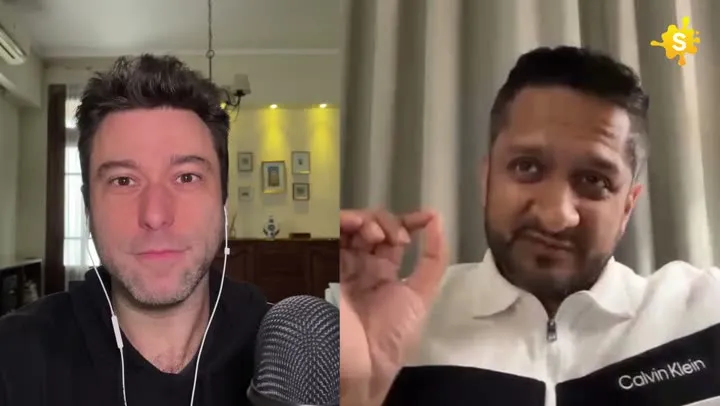

Move from a full conversation to a focused Reel in one workflow.
How it works
From source video to finished clips
- 01
Add the long video
Upload your recording or paste a supported YouTube link.
- 02
Select Reels framing
Choose portrait or square output for the final clips.
- 03
Download and publish
Review the finished moments and save the clips you want.
Made for
Use it across your content library
Questions
Which aspect ratio should I use for Reels?
Portrait 9:16 uses the full mobile screen. Square is also available when that better fits your source or feed style.
How long are the generated clips?
Clip Splitter targets moments around 15, 30, and 60 seconds, allowing the timing to vary slightly when the idea needs it.
Choose one useful idea for the Reel
Repurposing a longer video as a Reel begins with deciding what the short version should give the viewer. A recording may contain several lessons, stories or product explanations, but one short clip should not try to summarise all of them. Pick a specific idea that can be understood without the full source. You might show a common mistake, explain a small improvement or share a concise example from an interview. This gives the clip a clear purpose and makes it easier to choose an opening, an ending and a title that belong together.
Think about the person encountering the clip for the first time. They may not know the speaker, the product or the recording’s original context. Identify the minimum information they need before the point makes sense. If the speaker begins halfway through an example, another moment may work better than adding a large amount of explanatory text. The most effective extract often feels like a complete small piece of content. It should reward the viewer’s attention within the clip, even when the surrounding post also invites them to explore a longer recording.
Match the opening to the actual payoff
The opening should establish the subject and create an accurate expectation. A direct question, a concrete observation or the beginning of a demonstration can all work. Avoid selecting an exciting sentence merely because it sounds dramatic in isolation. Check what follows it. If the rest of the clip never answers the question or supports the claim, the opening creates a mismatch. A quieter introduction that leads to a useful explanation may be a better editorial choice than a more sensational line that depends on missing context.
Write the proposed title after watching the complete selection. This helps prevent the title from promising a different video from the one you actually have. If the source includes a condition or limitation, preserve it where it matters. For example, advice intended for a particular type of project should not be presented as a universal solution. Clear framing helps the relevant audience recognise the clip’s value. It also gives reviewers a straightforward way to assess whether the title, captions and spoken explanation communicate the same point.
Adapt the composition for a phone
When choosing portrait framing, look at the information inside the source rather than simply centring the image. A speaker may stand beside a demonstration, or an interview may place two people far apart. The adapted frame needs to preserve the part that makes the clip understandable. Review gestures, props and speaker changes throughout the selected moment. A crop that looks attractive at the beginning can become confusing when the subject moves or introduces something near the edge. The full sequence should remain readable without the viewer having to infer what has disappeared.
Consider the space needed for captions and the surrounding interface. Do not place an essential word or small object at the edge of the image just because it is visible in the editing preview. Check the composition in the actual posting context where practical, because controls and text may overlap part of the frame. The goal is a clip that remains clear during ordinary viewing. A layout designed only for a clean screenshot may not work as well when the viewer is reading captions, noticing the speaker and navigating a feed at the same time.
Use captions as a complete reading path
Watch the clip with sound muted and assess whether the captions communicate the full idea. Highlighting a few keywords can add emphasis, but it should not leave important reasoning unavailable to someone relying on text. Check names, figures and the small words that shape a claim. A missing condition can make a short recommendation seem more certain than the source intended. Read the captions at normal playback speed rather than pausing every frame. That is the best way to notice a phrase that disappears before it can be understood.
Use a consistent text treatment across the clip. Changes in colour or emphasis should have a purpose, such as drawing attention to a key term, rather than turning every sentence into a new design. Check the style over different backgrounds, especially where the image becomes bright or visually busy. Captions should remain separate from existing source labels and avoid covering meaningful gestures. The final presentation works when the text and picture reinforce each other, allowing the viewer to understand the point without deciding which competing element to follow.
Keep a product clip specific and demonstrable
If the Reel introduces a product or service, show one capability or one use case clearly. A sequence of broad claims can become less persuasive than a small concrete demonstration. Choose a moment where the viewer can see what happens and understand why it matters. Avoid turning an example into a promise that every user will experience the same result. The clip should describe the actual demonstrated behaviour. Any important condition mentioned in the source should remain visible or audible in the adapted version.
For a tutorial, keep the action connected to the explanation. A crop that shows only the presenter while hiding the relevant interface may make a simple procedure impossible to follow. If the complete process cannot fit into the selected moment, choose a narrower lesson or clearly introduce the clip as an overview. A short piece can be useful without pretending to be a complete training resource. The title and surrounding caption should help viewers understand what they will learn now and where further detail is available if they need it.
Prepare the surrounding post deliberately
The video and the written post should complement each other. Use the accompanying text to identify the subject, add useful context or point to the related resource. Repeating every word of the clip is not always necessary, but the post should not contradict it or introduce an unsupported claim. If the video belongs to a series, make the relationship clear through consistent naming. This helps a viewer find related explanations and helps your team distinguish similar exports during scheduling and review.
Keep the requested next step proportionate to the content. An invitation to watch a full explanation can fit an educational clip, while a product demonstration may lead to a relevant feature page. Do not add several unrelated requests simply because the post has space for them. A clear next step is easier to understand and easier to evaluate later. When a reviewer approves the publication, show the final video and the surrounding text together. That provides a more accurate view of the audience’s experience than approving either element separately.
Review the exported Reel before scheduling
Play the actual exported file from beginning to end. Check for an abrupt audio start, a cut-off word, a caption that extends beyond the frame or a final sentence that ends before its conclusion. View the file at phone size and at normal speed. Inspecting only the editing preview can miss an export-specific issue or an accidental version mismatch. Keep the approved file clearly named, and avoid placing several similarly titled drafts in the folder used by the person responsible for publication.
- State the clip’s main idea in one sentence before approving it.
- Ensure the opening is answered or supported by the ending.
- Check the portrait frame through movement and changes of speaker.
- Read captions without sound and verify important words against the audio.
- Review the written post alongside the final exported video.
- Keep the approved version separate from experiments and earlier drafts.
After publication, review whether the clip attracted the kind of response its purpose called for. Questions about the subject can reveal where a follow-up explanation would help. Repeated confusion may indicate that the selected moment lacked context or that the title was too broad. Use those observations to improve the next selection rather than treating every result as a verdict on the entire format. A dependable video-to-Reels workflow is a cycle of choosing a useful idea, presenting it clearly, checking the final file and learning which explanations deserve further development.
A worked editorial example
Imagine a short product demonstration selected from a longer webinar. The presenter explains how a saved template avoids repeating the same setup. The useful Reel shows the original repetitive action, introduces the saved template and demonstrates the simpler result. A title about saving setup time fits that evidence. A title promising a complete transformation of the viewer’s business does not. Review the crop so the relevant controls remain visible, check the caption spelling of the template name and ensure the ending includes the result. The surrounding post can link to the longer walkthrough for additional configuration details. Keeping these pieces aligned creates a clear, modest promise that the clip itself fulfils instead of relying on an exaggerated introduction to create interest.
Your next clip is already in the video.
Let Clip Splitter find it, frame it, and caption it.
Start clipping