Podcast repurposing
Make social clips from podcast episodes
Upload an episode and let Clip Splitter find concise stories, useful insights, and strong opinions without scrubbing through the whole conversation.
Create your clips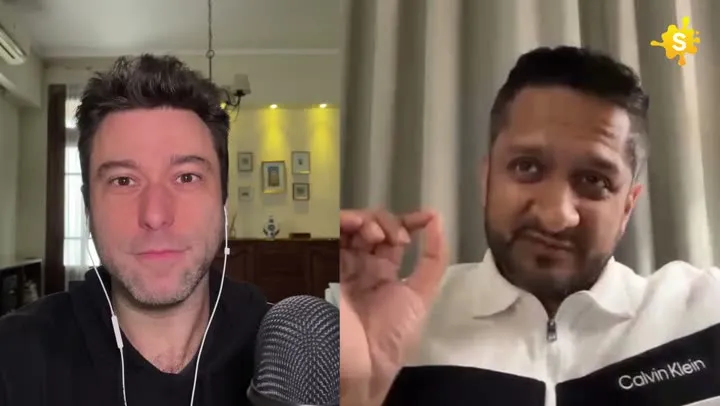
Spend your time publishing, not hunting through the timeline.
How it works
From source video to finished clips
- 01
Upload the episode
Start with your podcast video file or YouTube episode.
- 02
Set the format
Choose portrait, square, or the original frame.
- 03
Pick your favorites
Review short, medium, and longer moments from the episode.
Made for
Use it across your content library
Questions
Does it work with multi-person podcasts?
Yes. Smart reframing uses visual analysis to keep relevant people in view when the output shape changes.
Will it add duplicate subtitles?
Clip Splitter checks the source for existing burned-in subtitles before deciding whether new subtitles should be added.
Find an episode’s strongest self-contained conversation
A podcast clip should give someone a useful reason to care about the conversation before asking them to listen to the full episode. That reason might be a memorable example, a thoughtful disagreement or an explanation that changes how the listener sees a familiar problem. Start by identifying the episode’s central themes and the audience each theme serves. A discussion can contain several strong moments without all of them being appropriate for the same audience. Selecting by topic helps you create a coherent set of clips instead of a collection of unrelated reactions.
Listen for a small conversational arc. A host asks a question, the guest establishes a position, and an example makes the position concrete. You may not need every part, but you do need enough of the exchange for a new viewer to follow it. If a guest starts with “exactly,” “as I said earlier” or an unexplained name, check whether the previous question belongs in the clip. Removing the host can make the guest appear more concise while also removing the information that makes the answer intelligible. The strongest edit balances both needs.
Preserve the guest’s meaning when shortening an answer
Long interviews contain qualifications, jokes and changes of mind. A clip can distort the conversation without changing a single word if it removes the sentence that established those conditions. Watch the selected moment in its original context before publishing it. Ask whether a reasonable guest would recognise the point they were making. A provocative phrase followed by a correction should not be presented as the guest’s settled view. Similarly, a hypothetical example should remain recognisable as an example rather than becoming an apparent factual claim.
This review becomes especially important when choosing an opening line. The most dramatic sentence may have been delivered ironically or in response to a narrow question. A short title can explain the subject, but it should not introduce an interpretation that the audio does not support. Keep the title, caption and thumbnail aligned with the actual exchange. If your team has an approval process for guests, send the exact final clip and its planned presentation together. Reviewing the video separately from a sensational title can leave an important part of the publication unchecked.
Choose between a story, an answer and a disagreement
Different conversation types need different editing decisions. A story requires enough setup to understand the change or outcome. An answer benefits from a clear statement of the question. A disagreement needs the competing ideas, not merely a reaction shot that makes one speaker look unreasonable. Identify which kind of moment you are editing before deciding on its length. Trying to turn every exchange into the same fast opening can strip away the detail that made the guest interesting in the first place.
For a story, locate the point where something changes and work backwards to the minimum necessary setup. For an explanation, find the example that makes the abstract idea useful. For a disagreement, include the actual issue and enough response to show what each person means. These approaches help you distinguish a complete short conversation from an arbitrary segment of a longer one. A clip should feel deliberately selected even when an AI tool first identified the timestamps. The viewer should not have to imagine the missing half of the discussion to understand the ending.
Make speaker changes easy to follow
Podcast recordings vary from a single camera to separate close-ups and remote participant feeds. When adapting them to a narrower frame, inspect every change of speaker. A crop that remains on one person while another speaks can be confusing if the viewer cannot identify the voice. On the other hand, moving the frame constantly can be distracting. The editorial goal is to make the exchange legible, not to add movement simply because the source contains multiple people. Keep enough visual context for the audience to understand who is responding.
Look for interruptions, laughter and short acknowledgements. These do not always require a change of frame, but they may affect caption timing or the apparent flow of the exchange. If both speakers talk at once, listen carefully before approving the transcript. A caption can accidentally combine their words into a sentence neither person said. When the source includes a wide shot, check whether it preserves a useful relationship between the speakers that a tight crop would lose. Choose the composition that supports the conversation rather than applying one layout mechanically throughout.
Edit captions for names and conversational language
Podcast guests often mention people, books, companies or specialised terms without spelling them out. Create a short reference list from the episode notes before reviewing captions. This makes repeated names easier to check and prevents inconsistent spellings across several clips from the same recording. Listen for small words that change the relationship between ideas, including “unless,” “only” and “not.” Caption errors in those words can affect meaning more than an obvious misspelling of an ordinary noun. Accuracy deserves a separate review from the visual design.
Conversation also includes incomplete sentences and pauses. Do not force captions into a polished written essay if that makes them disagree with the speech. You can still make the text easier to follow through sensible phrase grouping and punctuation. Read it at the pace of the clip rather than inspecting a frozen frame for several seconds. If a viewer cannot finish a caption before it changes, attractive typography will not solve the problem. Preview on a phone to judge whether the text and the speakers can be understood together at normal viewing size.
Build a small series without repeating the same idea
A productive episode can support several clips, but quantity is not the only useful objective. Give each approved clip a distinct editorial role. One might introduce the guest’s approach, another demonstrate it through a practical example and a third address a common objection. If two clips make the same point with different wording, choose the stronger one or publish them for genuinely different contexts. Repetition can make a feed feel busy without giving the audience additional value. A simple topic list helps a team notice these overlaps before scheduling.
Keep a source reference for every selection so that someone can find the full exchange later. Record the episode title, speaker and approximate moment alongside the approved file. This is helpful when preparing show notes, answering a question about context or creating a related post. It also prevents a clip from becoming detached from its original conversation as files move between editors and publishers. The record can remain lightweight: a clearly named folder and a short approval sheet may be enough for a small production team.
Review the listening experience before publication
Watch the finished clip with headphones, then listen through an ordinary device speaker. Dialogue should remain understandable without forcing the viewer to turn the volume up for one participant and down for another. Listen at the beginning and end for an abrupt cut, a half-finished word or music that masks the final sentence. Do not assume that a clip is ready because the central answer sounds clear. The boundaries of the edit are part of the listening experience and can make a thoughtful conversation feel unfinished.
- Confirm that a new viewer can identify the subject of the exchange.
- Check the selected moment against the surrounding episode for context.
- Verify guest names and specialised terms in the captions.
- Follow each speaker change through the complete exported video.
- Check that the title and thumbnail describe the actual conversation.
- Keep the approved version and the source reference together.
Finally, consider what the viewer should do after watching. An invitation to hear the full episode is useful when the episode develops the same topic further. It is less convincing when the clip promises something the longer conversation does not deliver. Make the relationship clear in the surrounding post. Over time, use audience questions to identify subjects worth revisiting with future guests. A good podcast clipping workflow does more than promote an archive: it reveals which explanations, examples and disagreements are helping people understand the conversation.
A worked editorial example
Suppose a host asks a guest how they prepared for a difficult interview. The guest describes researching the subject, writing open questions and leaving space for unexpected answers. A clip containing only the final advice to listen carefully may be pleasant but generic. Including the example of a question they abandoned gives the advice a concrete meaning. Review whether the host’s original question is needed, whether the example reaches its conclusion and whether the guest’s name is correct in the captions. This turns the editorial decision into a small conversation that a new viewer can follow. It also gives the surrounding post a specific subject, rather than describing the extract simply as advice from an interesting guest.
Your next clip is already in the video.
Let Clip Splitter find it, frame it, and caption it.
Start clipping