Creator video workflow
Create polished clips from talking-head videos
Clip Splitter handles the repetitive first edit: finding complete passages, choosing useful lengths, keeping the speaker framed, and adding captions when needed.
Create your clips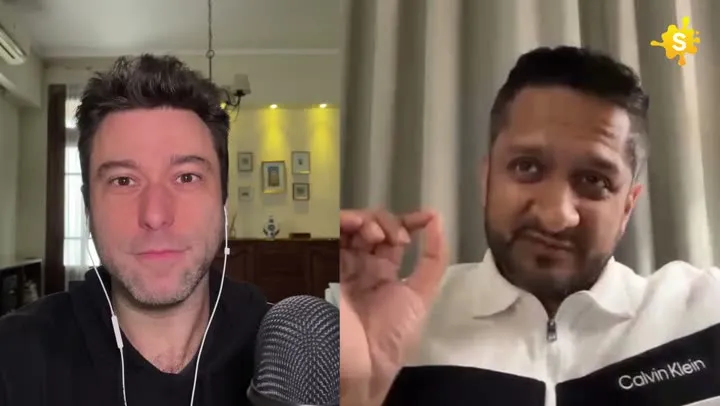
A faster first cut for videos built around what someone says.
How it works
From source video to finished clips
- 01
Record naturally
Start with an interview, lesson, response, or direct-to-camera video.
- 02
Choose the audience
Set the output shape and optional translation language.
- 03
Review the cut
Clip Splitter returns up to three finished moments for selection.
Made for
Use it across your content library
Questions
Do I need to edit a timeline manually?
No. The automatic workflow selects and renders the clips. You can focus on reviewing the results.
Can it create clips in different sizes?
Yes. You can request portrait, square, or original-format clips when the source supports that output.
Make the speaker’s idea the centre of the edit
A talking-head clip depends on the relationship between a person’s delivery and the idea they are explaining. Editing should help the viewer follow that idea, rather than adding activity simply because the image contains one speaker. Begin by identifying the point of the selected moment. It might answer a common question, explain a decision or introduce a practical example. Once that point is clear, you can judge which pauses, repetitions and gestures support it. A concise clip is useful when it preserves the speaker’s reasoning and personality together.
Avoid assuming that every hesitation is a flaw. A short pause can give a viewer time to understand a difficult distinction, and a natural breath can make the speech easier to follow. At the same time, repeated introductions or abandoned sentences can obscure the point. Evaluate them in context. The goal is not to make the speaker sound mechanically continuous. It is to create a clear, comfortable explanation that feels like a person communicating deliberately. Review the whole delivery instead of measuring quality by the number of moments removed.
Find a natural beginning
The first sentence should identify the subject without relying on a previous question that is missing from the clip. If the speaker begins with “yes,” “that depends” or an unexplained reference, listen to the preceding exchange. You may need to retain part of the question or choose another starting point. A headline can name the topic, but the speech should still make sense as an independent explanation. Starting at the most animated phrase may make the opening energetic while leaving a new viewer uncertain about what the person is actually discussing.
Check the first visible frame as well as the first word. A clip that opens during a camera adjustment, a glance away or a partial gesture can feel accidental. That does not mean the speaker must stare at the camera throughout. It means the opening should belong to the selected thought. Watch the start several times at normal speed, then continue through the complete clip to make sure the opening’s promise is fulfilled. An effective beginning is connected to its ending, not merely attractive in isolation.
Preserve the rhythm of an explanation
Listen for the structure of the speaker’s argument. They may introduce a problem, compare alternatives, provide an example and explain their conclusion. If the edit removes the comparison, the conclusion can appear unsupported. If it removes the example, an abstract statement may become less useful. Choose the portion that contains a complete explanation at an appropriate level of detail. A shorter clip is not automatically clearer. Sometimes the sentence that looks expendable in a transcript is the one that helps an unfamiliar viewer understand why the point matters.
Review the emotional rhythm too. A speaker may pause before an important distinction or soften a statement after considering an exception. Those moments can communicate care and uncertainty accurately. Cutting them away may make the person appear more absolute than they intended. Keep qualifications that materially affect meaning, even when they reduce the dramatic force of a line. A trustworthy clip allows the speaker’s actual position to remain visible. It should not manufacture a different personality or conclusion through selective boundaries around otherwise authentic words.
Frame faces and gestures together
A close-up can help a viewer notice expression, but the speaker’s hands or posture may also carry meaning. Watch for gestures that explain scale, contrast or sequence. If the crop removes them, the image may become less informative even though the face is larger. Leave enough room for natural movement without making the subject feel distant. The right composition depends on the recording and the selected moment. A speaker who remains still presents a different framing problem from someone who leans, turns or demonstrates an object while talking.
Inspect the crop throughout the clip rather than approving one flattering frame. Look for hands entering awkwardly from an edge, a head approaching the top boundary or an object appearing only partly in view. If the framing moves, check whether that movement supports attention or becomes a distraction. Captions need space as well. A composition that leaves no clear area for text may force the words over the speaker’s mouth or an important gesture. Consider image and text together when choosing the final layout.
Keep the voice understandable on ordinary devices
Listen through headphones and through a typical device speaker. A recording can sound clear in one environment and become difficult to follow in another. Pay attention to quiet endings, background noise and changes in the speaker’s distance from the microphone. If the source audio is weak, acknowledge that limitation when choosing which moment to publish. Decorative music or more animated captions cannot restore an explanation that the viewer cannot hear. Prefer a clearer source passage when it communicates the same point more effectively.
Check the boundaries of the audio carefully. A selected moment should not begin halfway through a word or end before the final thought has resolved. Listen for abrupt changes in room sound near cuts or camera transitions. These may not make the content unusable, but they can make an otherwise calm presentation feel rough. The final export is the correct place to perform this review. An editing timeline or transcript cannot fully represent how the listener experiences the beginning, development and ending as one continuous piece.
Use captions to support concentration
Talking-head clips often rely on captions because the image alone does not communicate the full point. Read the text against the actual speech, focusing on names, figures, specialised terms and qualifications. Then watch without sound to check whether a viewer can follow the explanation through the captions alone. A design that highlights only a few memorable words may provide emphasis while leaving important reasoning unavailable. Decide whether your text treatment is communicating the content or merely decorating it, and make sure the result serves the intended viewer.
Keep the captions visually consistent and readable over changing backgrounds. Avoid putting dense text directly over the speaker’s expression. Check phrase grouping at normal playback speed, especially where the speaker pauses or changes direction. A long sentence may need a thoughtful reading rhythm rather than a succession of isolated words. The captions should make it easier to concentrate on the person’s point. If the text draws more attention to its own movement than to the explanation, a simpler treatment may produce a more comfortable result.
Make a series feel coherent without making it repetitive
If you publish several talking-head clips, use consistent approval standards and presentation choices. A recognisable caption treatment, clear topic naming and dependable sound help viewers understand what to expect. Coherence does not require every clip to have the same opening or duration. Let the material determine the shape of the explanation. One clip may need a concrete example, while another may work as a concise answer to a narrow question. The shared quality should be clarity, not a rigid formula applied regardless of the speaker’s delivery.
- Confirm that the opening identifies the subject independently.
- Preserve the reasoning, examples and qualifications that carry the point.
- Check the face, gestures and caption space through the entire clip.
- Listen on ordinary devices as well as through headphones.
- Read captions against the source and then without sound.
- Approve the final export with its matching title and publication text.
Use recurring review issues to improve future recording sessions. If speakers repeatedly begin answers with unexplained references, ask for a brief restatement of the question during recording. If gestures disappear in portrait crops, allow more room in the original composition. If the most useful explanations always happen after the formal answer, leave space for follow-up questions. A strong talking-head editing workflow does not only rescue existing footage. It helps the team record clearer explanations next time, reducing the amount of work needed to turn a thoughtful speaker into a useful short video.
A worked editorial example
Imagine a founder answering why the team changed its onboarding process. The first answer contains several false starts, followed by a clear explanation and a customer example. The strongest clip may begin at that explanation rather than at the very first response. However, removing the example could leave only a broad claim that the new process is better. Keep the part that demonstrates the difference, preserve any qualification about which customers it applies to and check that the ending resolves the thought. Review the speaker’s gesture during the comparison and leave readable space for captions. This creates a confident, understandable presentation without making the person appear to claim more certainty or a broader result than they actually expressed.
Your next clip is already in the video.
Let Clip Splitter find it, frame it, and caption it.
Start clipping